
Unifying a fragmented software ecosystem.
Visual designer on an RKS-led design-system engagement for a 70-year-old precision-instrument manufacturer: 60+ screens across web, WPF, and legacy embedded, in two themes, one system.
Outcome One token set carried both themes across three rendering contexts with no platform-specific exceptions. The system was approved by the client design council and handed to engineering for production rollout.
Numbers Available on a call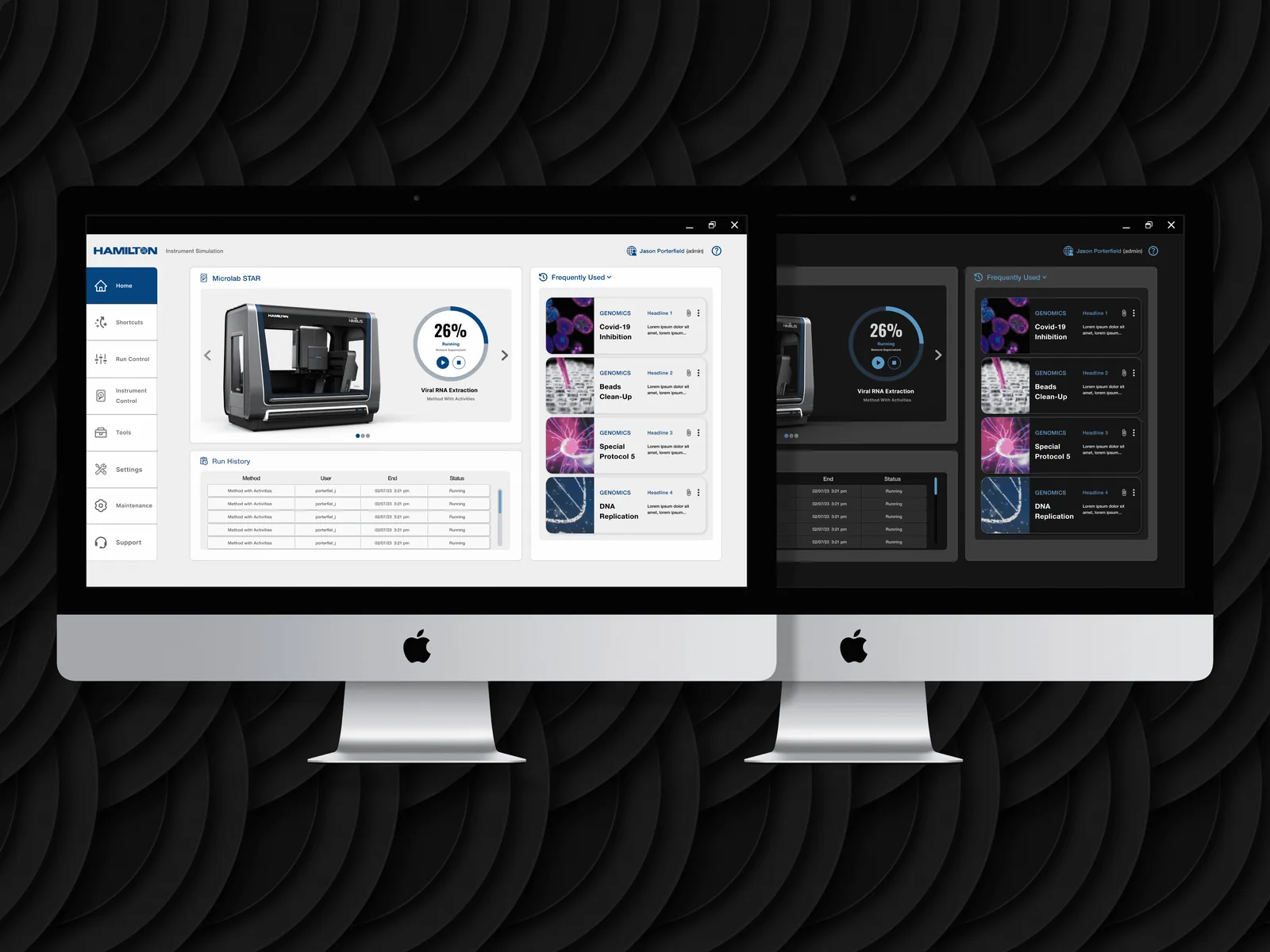
Inheriting a direction. Owning the system.
Hamilton Company is the market leader in automated liquid handling: founded in 1947, 3,000-plus employees across six continents, ISO 9001 certified globally. Their flagship Microlab STAR has been the top-selling robotic pipetting platform for years running, with 5,000-plus systems deployed in labs from pharma R&D to diagnostics to NGS workflows.
I joined this engagement as visual designer on an RKS-led design-system project. The strategic direction, an approved dashboard concept, was already set. My job was not to redraw it; it was to take that single approved direction and extend it into a complete, coherent system. Sixty-plus screens across web, WPF, and legacy embedded interfaces, in two themes, governed by one visual language.
Inheriting a direction and owning a system are different jobs. The first is execution. The second is judgement: hundreds of decisions the original concept never had to make, each of which has to stay consistent with a direction someone else set. That distinction is the whole engagement.
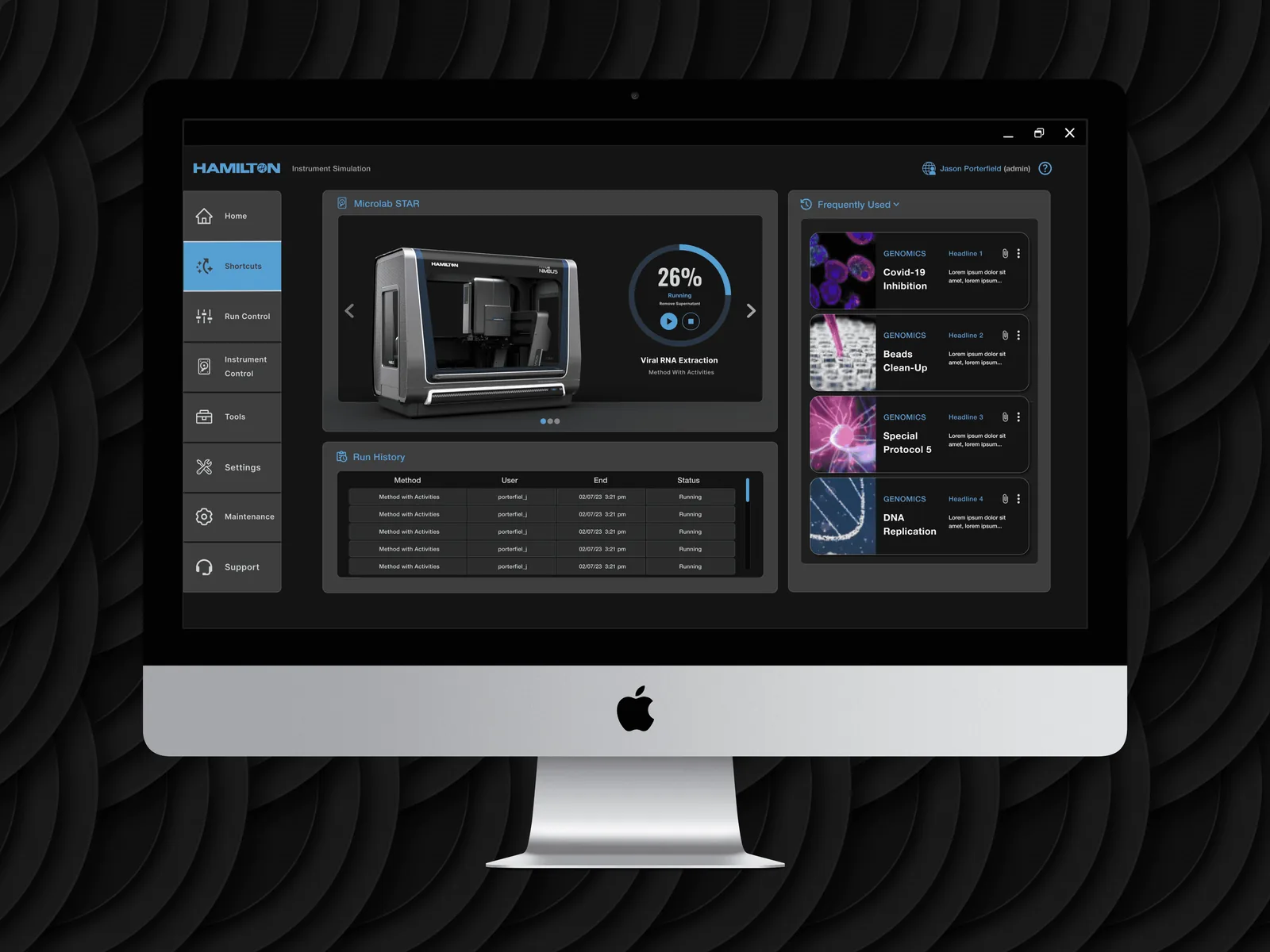
A design system’s value is measured in what stays consistent when the implementation context won’t.
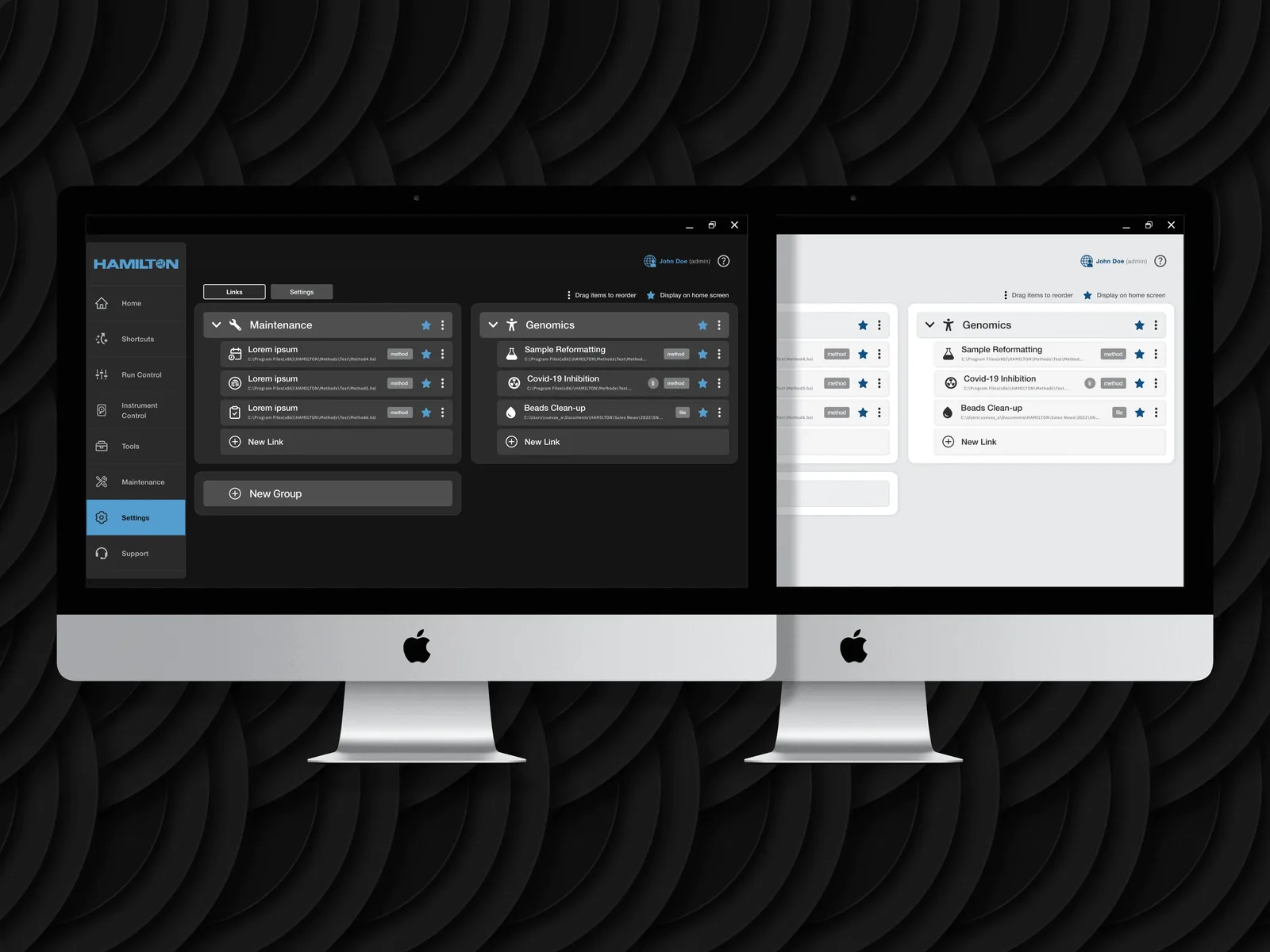
One system, three contexts, and not one platform-specific exception.
This is what made the Hamilton engagement difficult. The system had to work across web, WPF, and legacy embedded interfaces, three rendering environments with three different sets of capabilities, without creating a separate design language for each.
Platform-specific exceptions in a design system are a slow-motion catastrophe. Each one looks reasonable in isolation: this works differently on WPF, so let it. But they compound. Enough of them and the “system” is three systems wearing one name, and the consistency it was built to create has fractured. The rule was to refuse the easy exception every time it was offered, and it was offered often.
The before-and-after below is the problem stated visually: interfaces that had drifted apart over years of platform-by-platform development, pulled back to one language. The fragmentation is the thing the system exists to end.
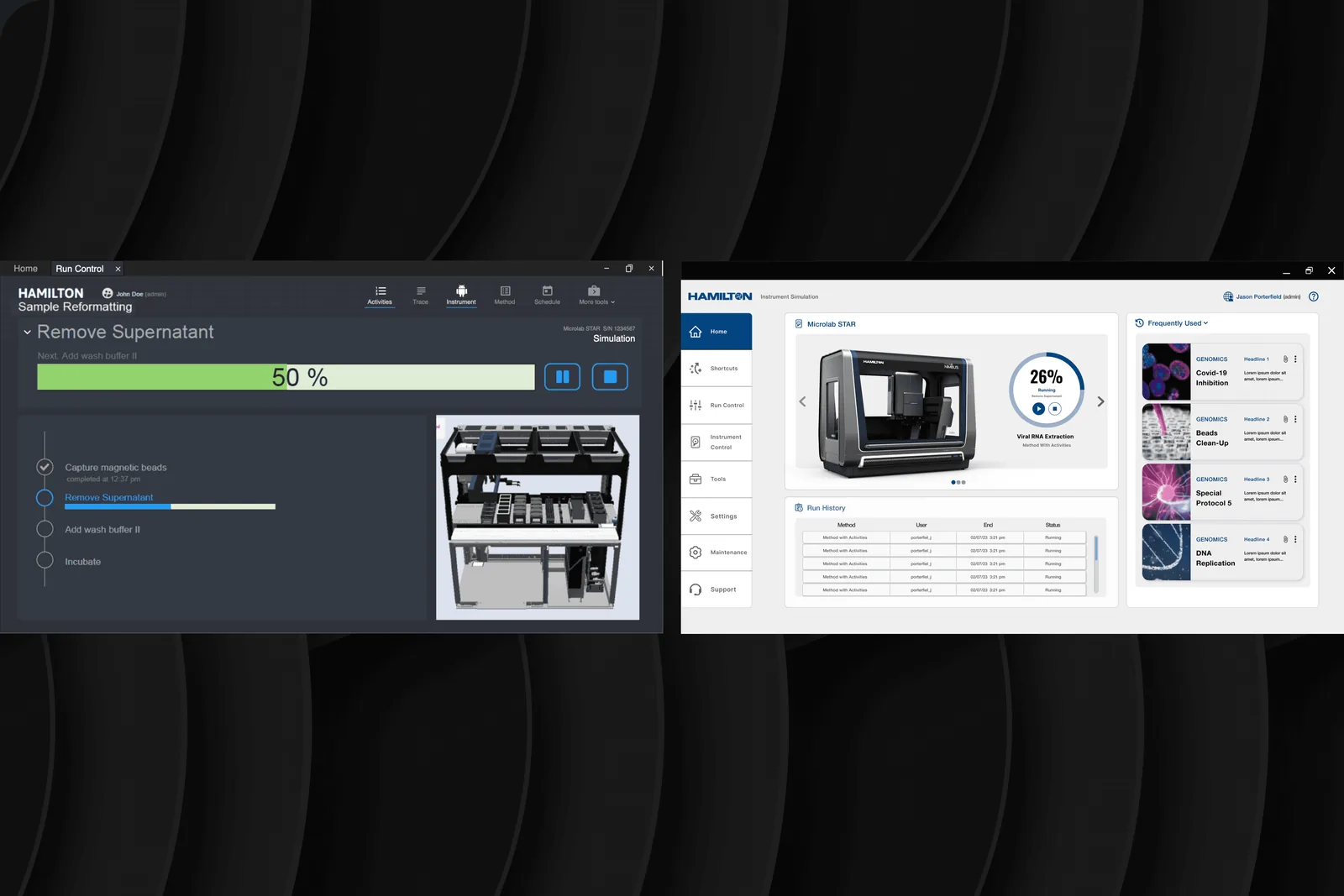
Drag to compare, or select a label to view · arrow keys nudge that state whole.
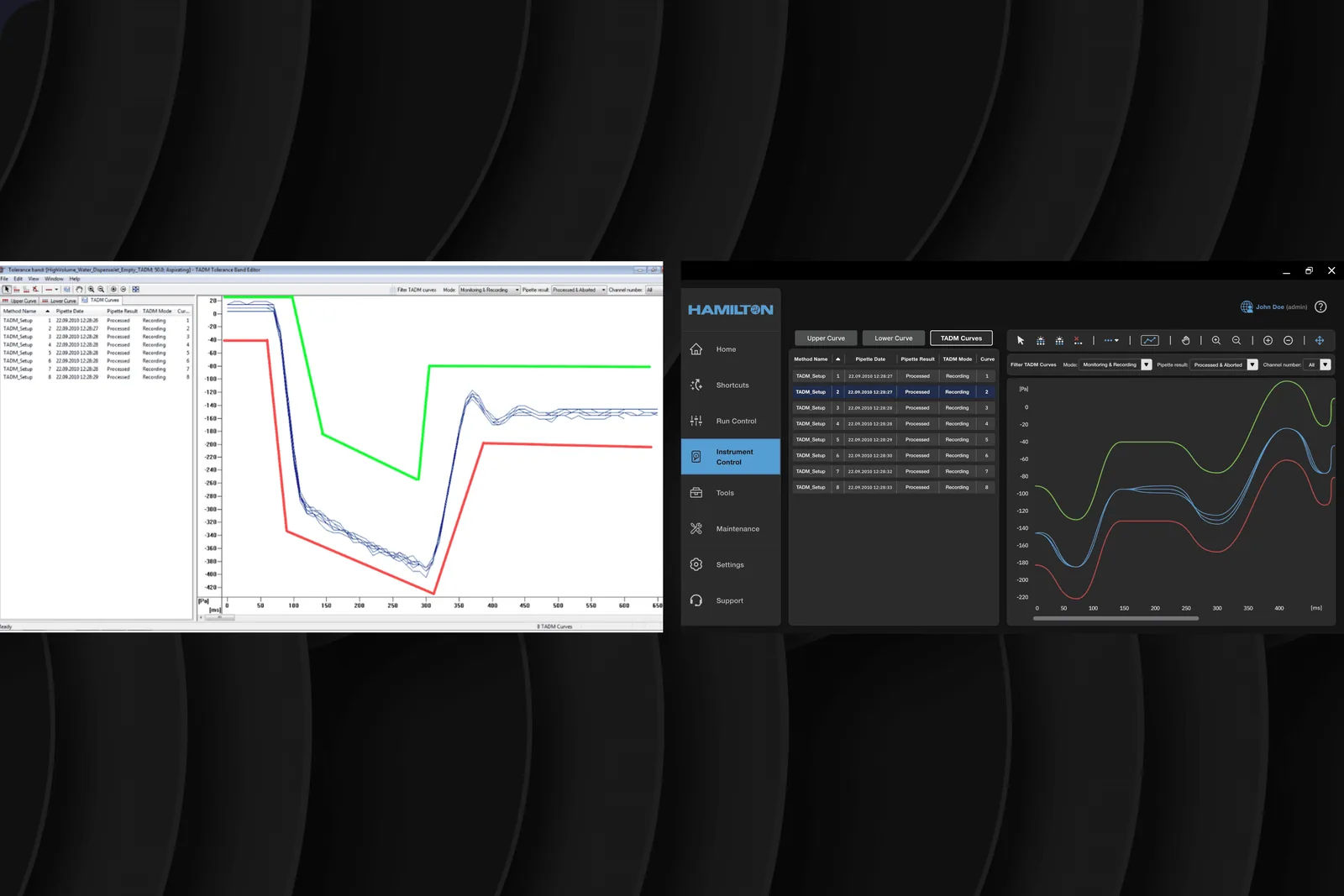
Drag to compare, or select a label to view · arrow keys nudge that state whole.
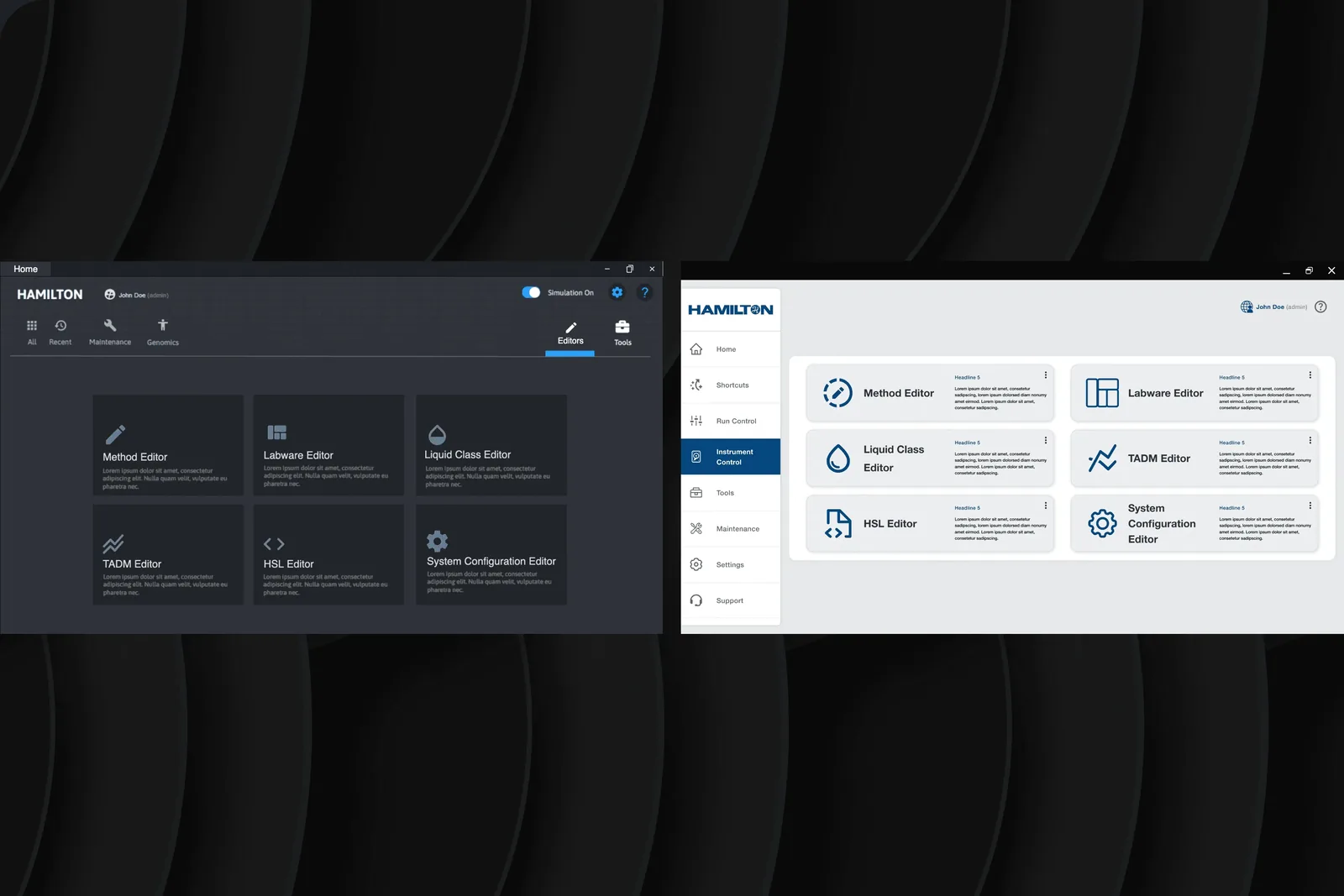
Drag to compare, or select a label to view · arrow keys nudge that state whole.
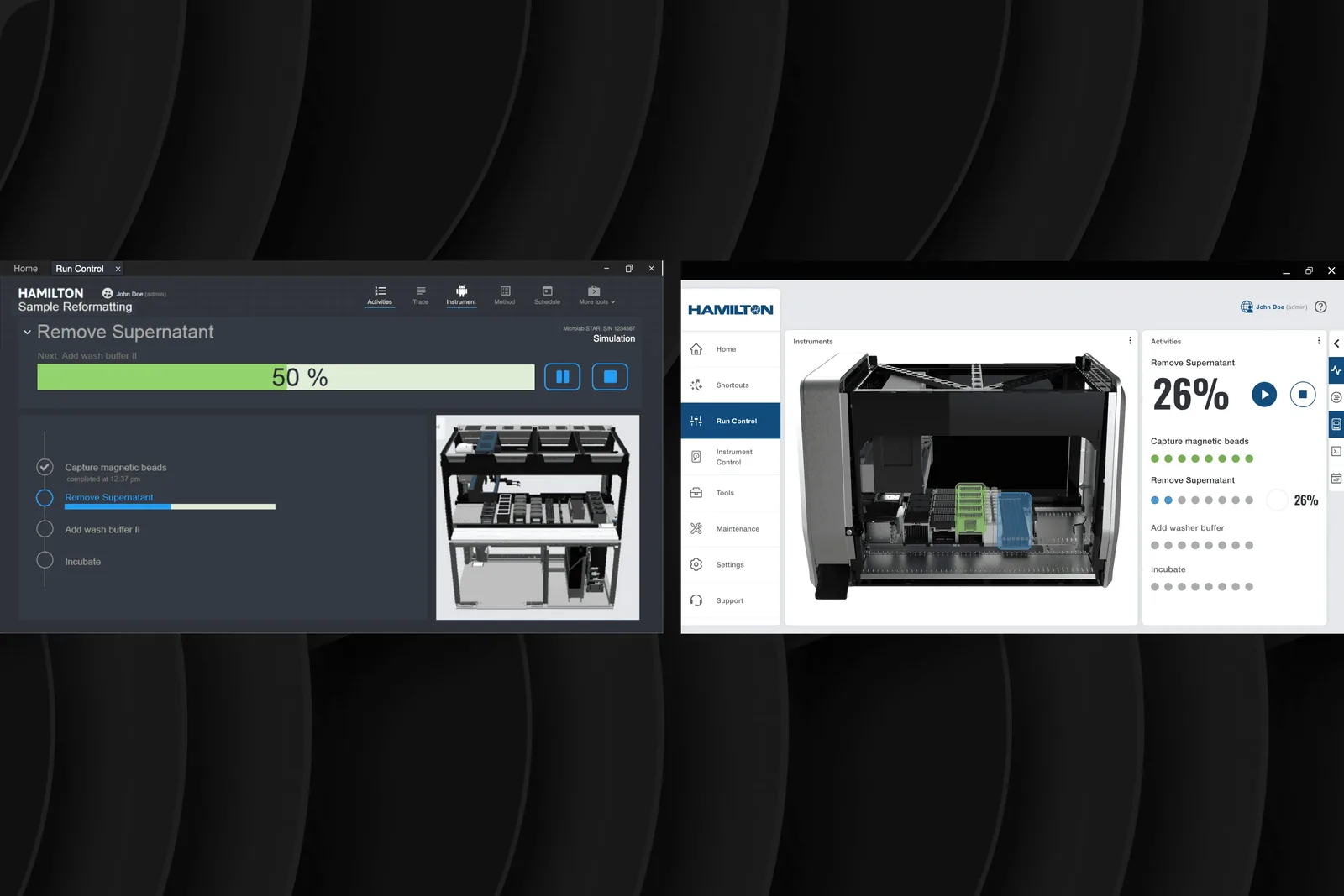
Drag to compare, or select a label to view · arrow keys nudge that state whole.
Building the foundation before the features.
A design system is built from its tokens up, not its screens down. The first decisions were the ones nobody screenshots.
The type scale. Hamilton’s existing interfaces used inconsistent sizing across platform types: headings in the web app bore no relationship to headings in the WPF application. I established a six-step type scale (display, heading, body, body-small, caption, data-label) that maps cleanly to platform-specific font stacks without the relationships between sizes ever changing. The scale is the same system everywhere; only the rendered font differs.
Colour tokens and spacing primitives. Colour was built as a semantic layer (background, surface, border, text-primary, text-secondary, interactive, status) rather than a set of literal hex values. Semantic tokens are what let one decision resolve correctly into three rendering contexts. Spacing followed the same principle: a small set of primitives, applied consistently, rather than per-screen judgement calls. Foundation first is slower to show and far cheaper to live with.
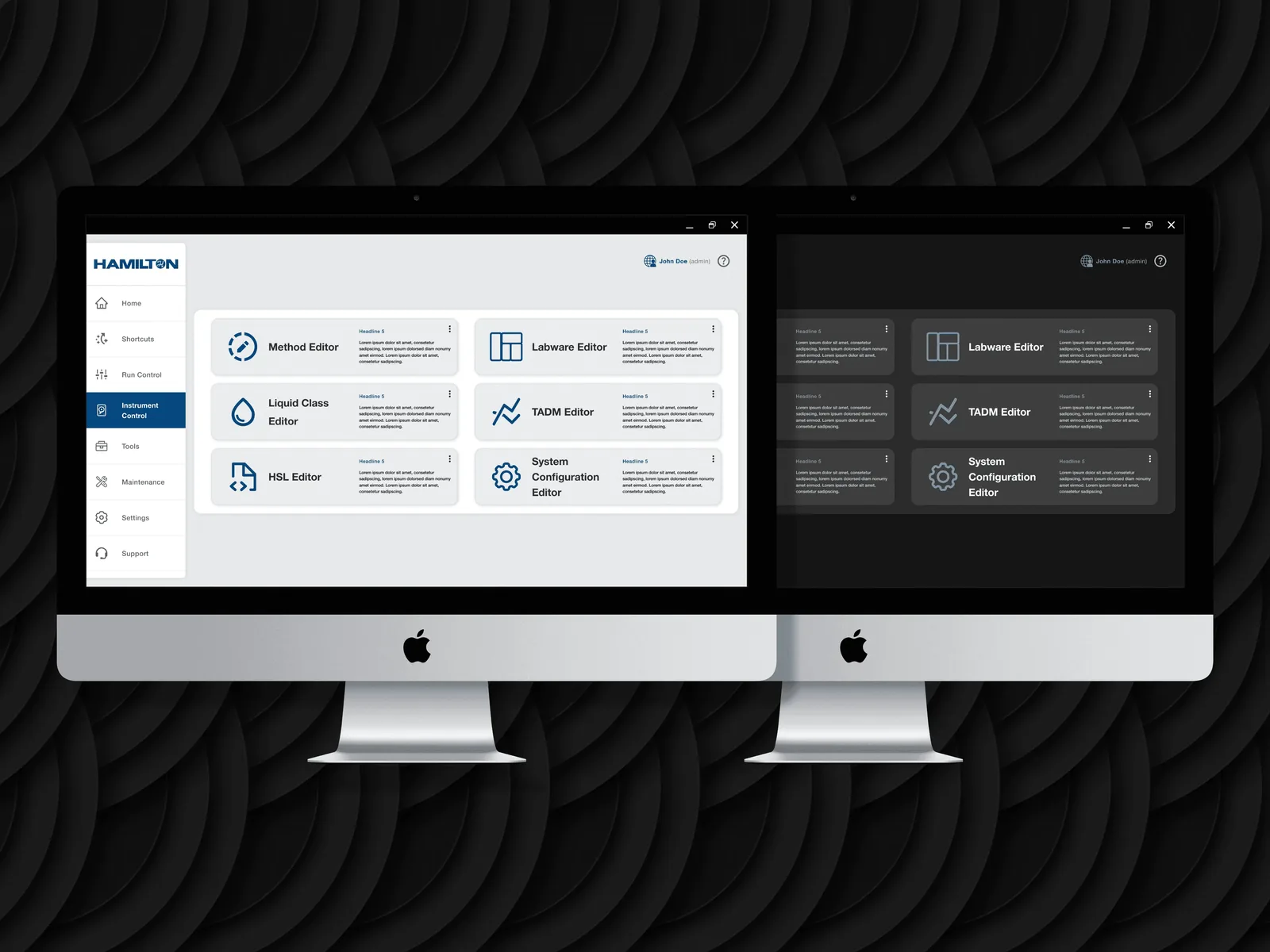
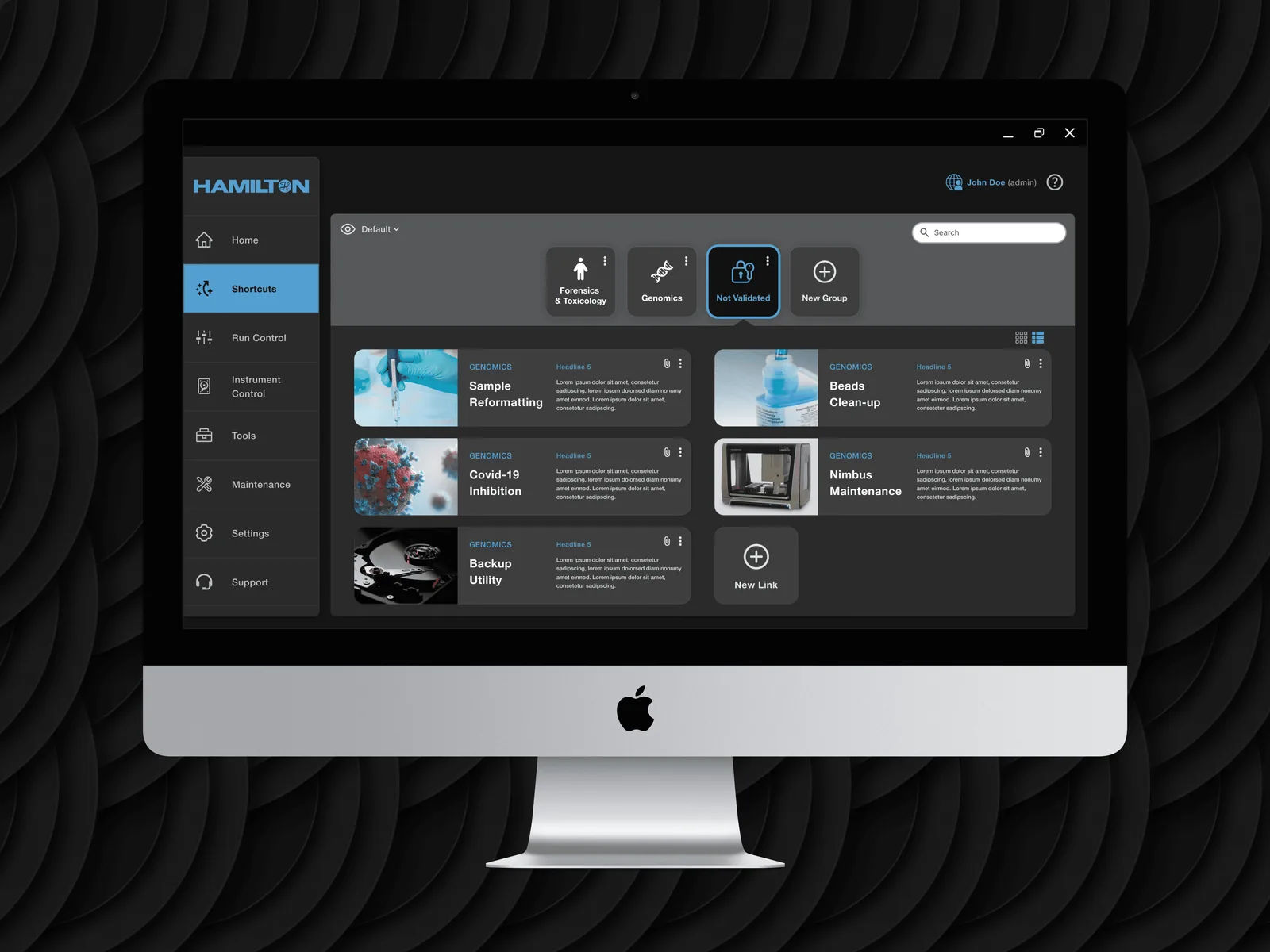
The system in production, across themes and platforms.
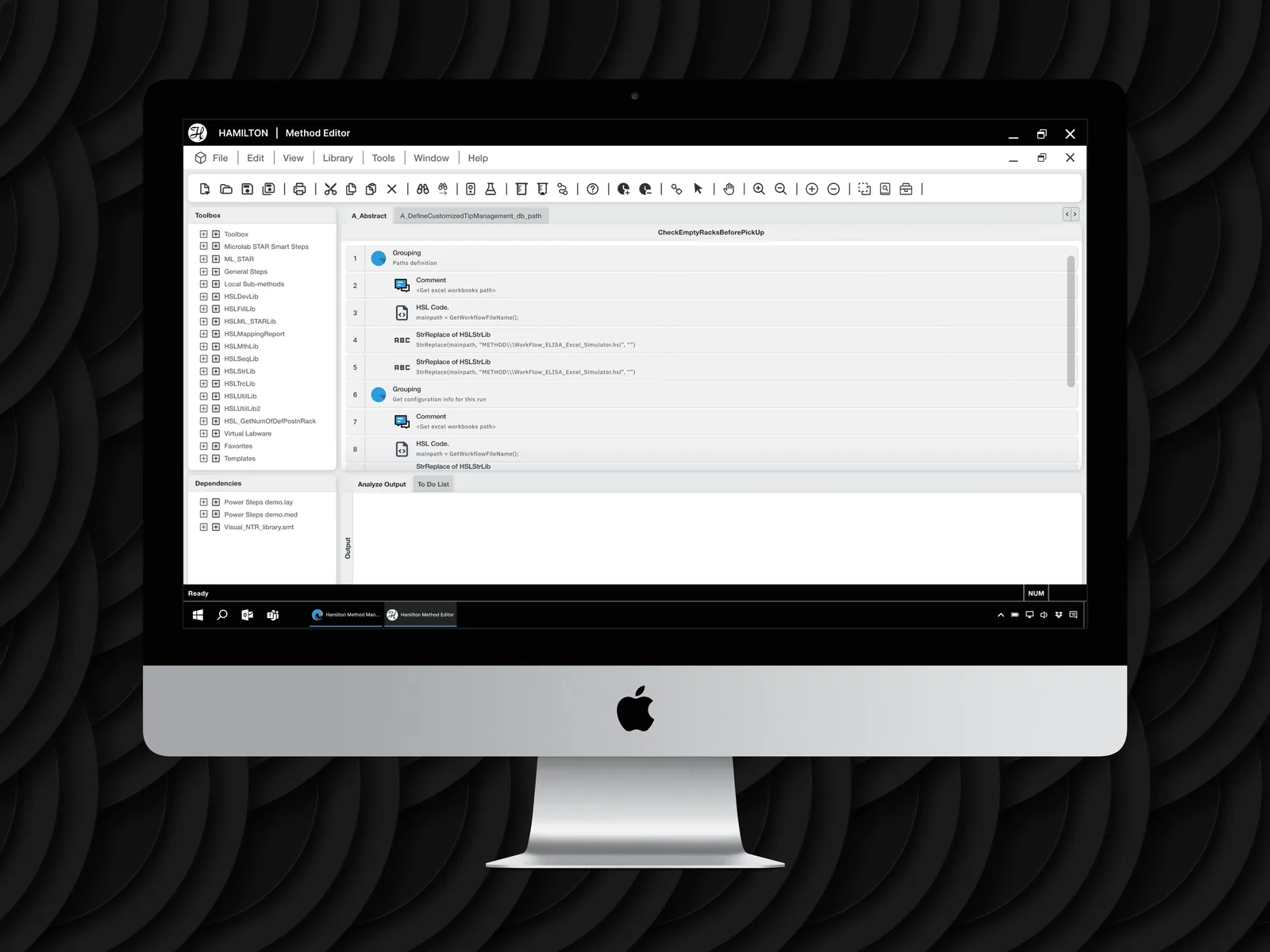
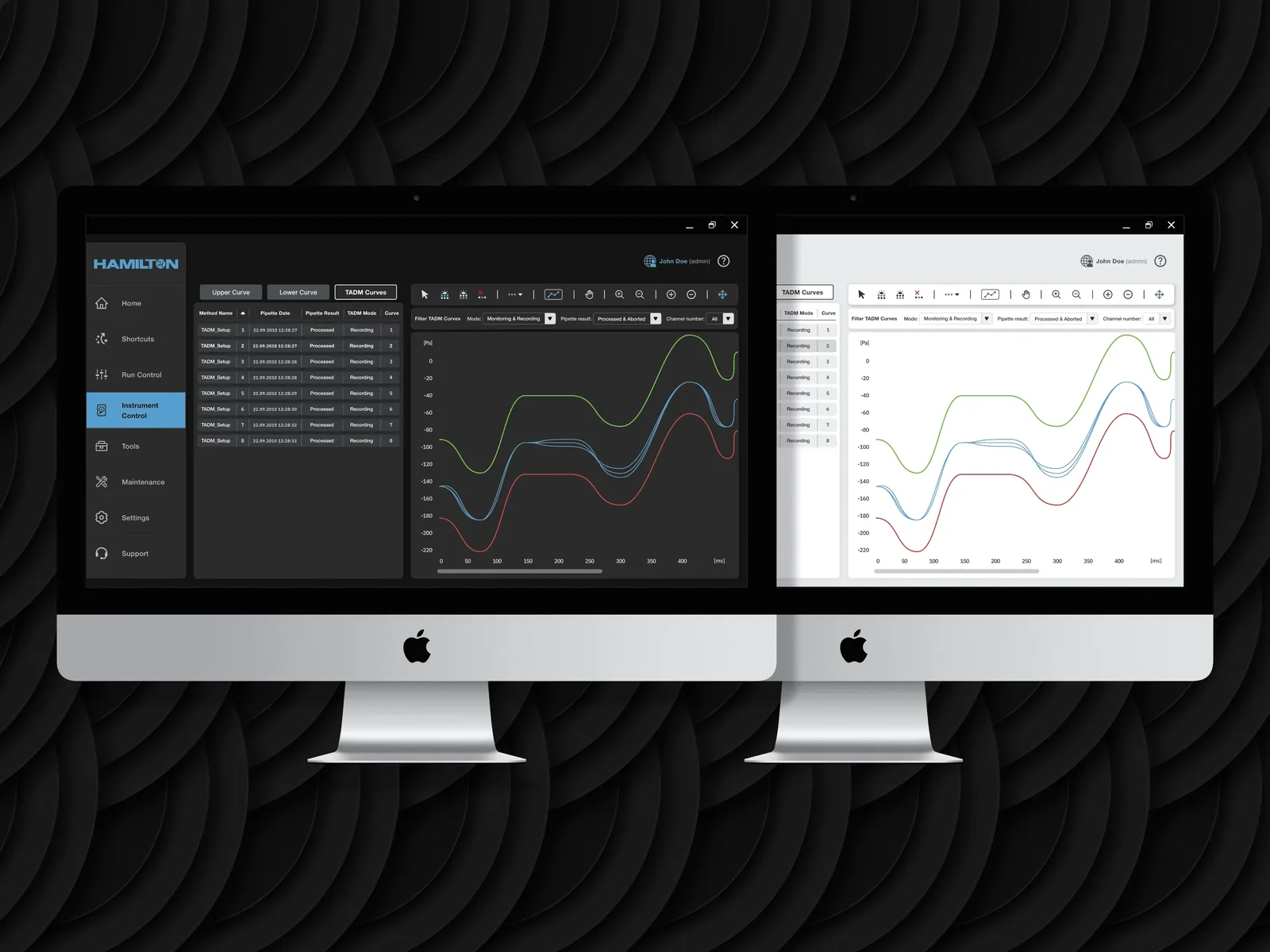
A token foundation is a hypothesis until the screens test it. Sixty-plus of them, across three runtimes, are the test. The test is not whether each screen looks right in isolation; it is whether the same component, built from the same tokens, resolves correctly into environments that share almost none of the same capabilities. A system that needs a human to reconcile those differences screen by screen was never a system. This section is the foundation proving it holds.
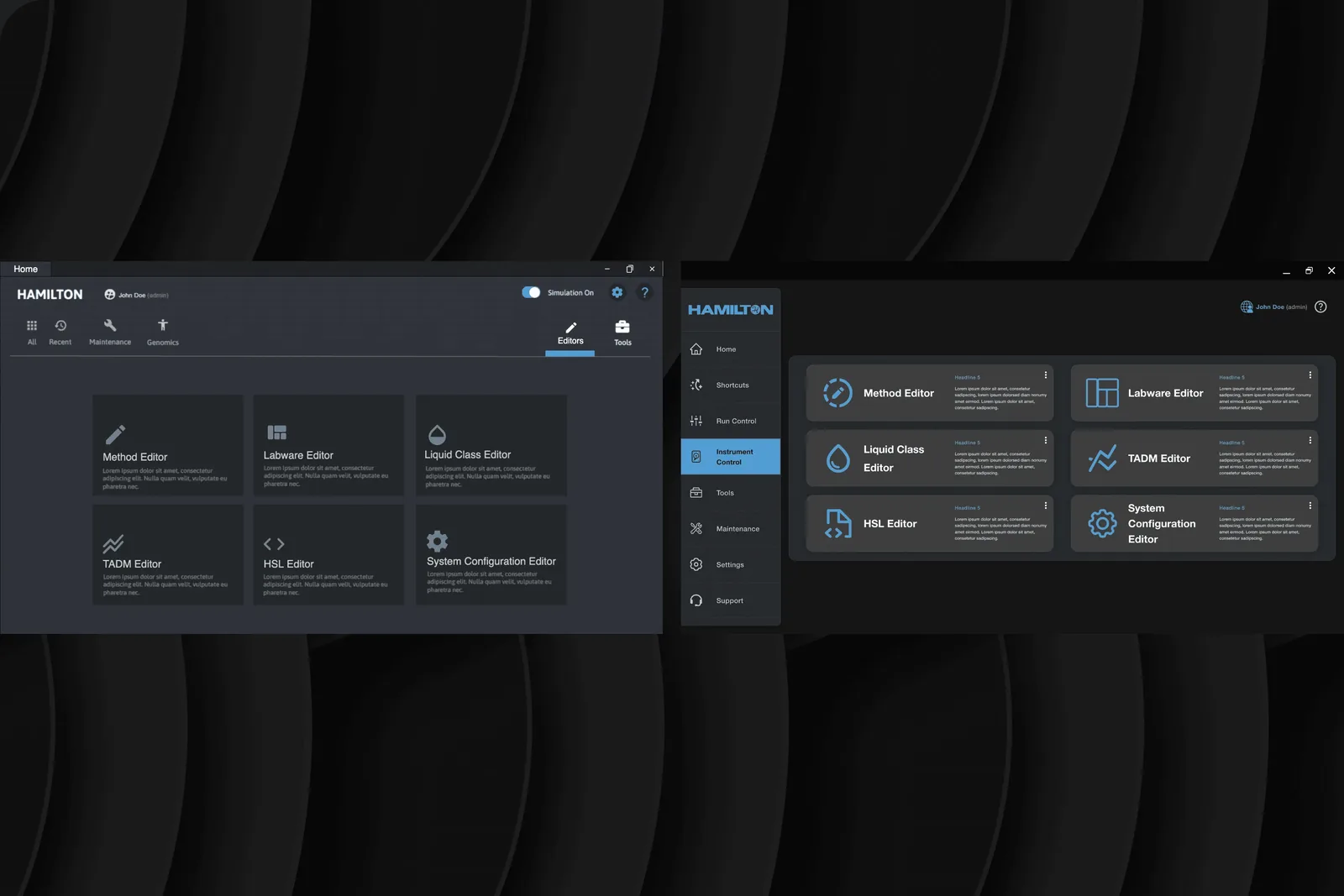
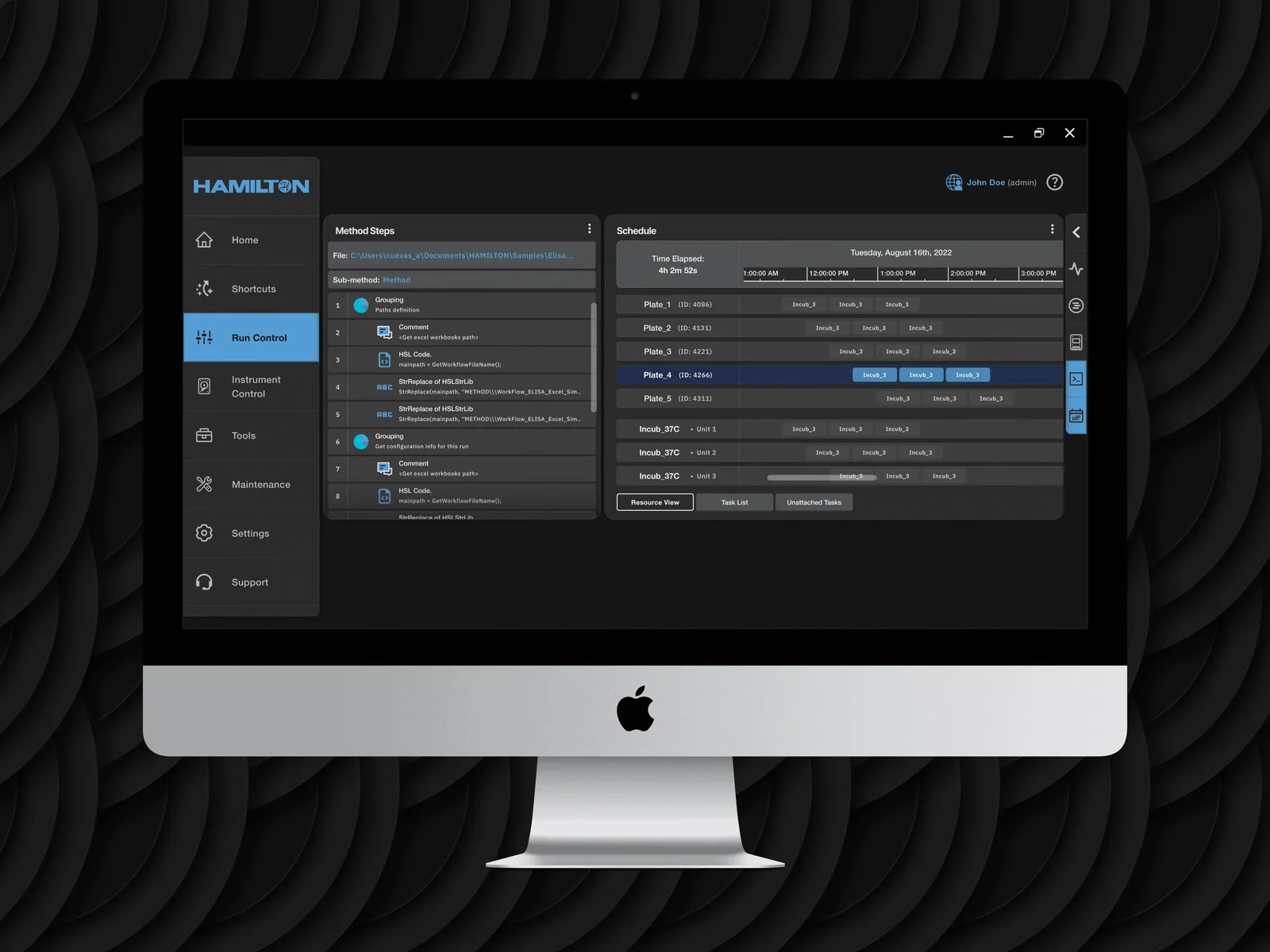
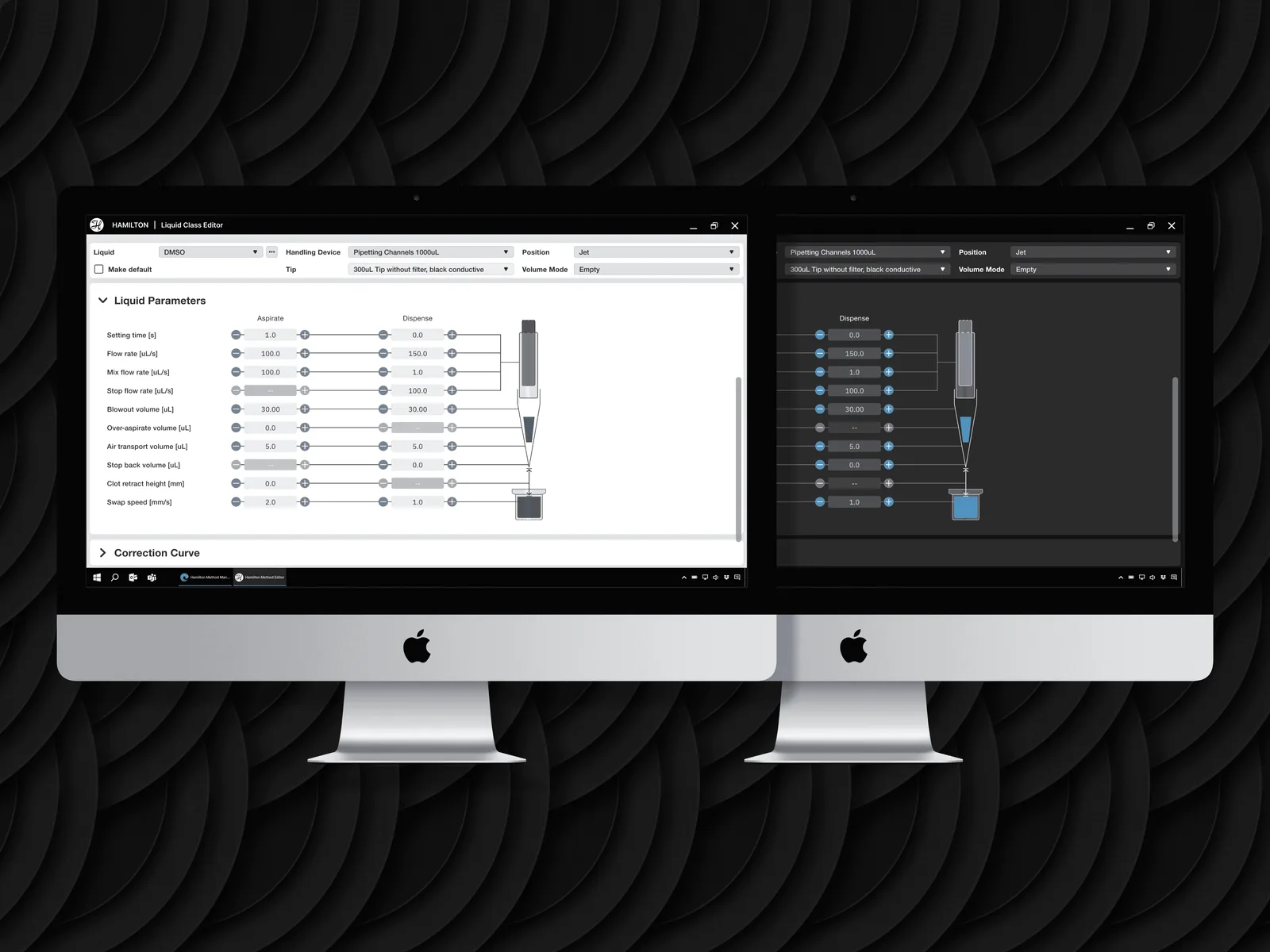
What the web and embedded surfaces have in common is the easy half of the proof. The harder half is WPF, the desktop runtime where the same token set has to survive a rendering engine with its own ideas about type, spacing, and state. If the system holds there, it holds everywhere.
The sprint process, and what changed because of it.
The sprint-review cadence with Hamilton stakeholders and RKS engineering was structured to prevent the most common design-system failure mode: building something theoretically coherent that engineers cannot actually implement without constant interpretation.
Every sprint review ran against a pre-agreed checklist. Does this component translate cleanly to WPF? Are the touch targets documentable without custom engineering? Does the token set cover this state, or is the state asking for an exception? A component did not pass review because it looked finished; it passed because it could be built, in every context, from the documentation alone.
That cadence is why the handoff held. A design system is only as real as the implementation it produces, and the checklist kept the gap between the designed system and the buildable system from ever opening.
Designing for a context I’d never designed in before.
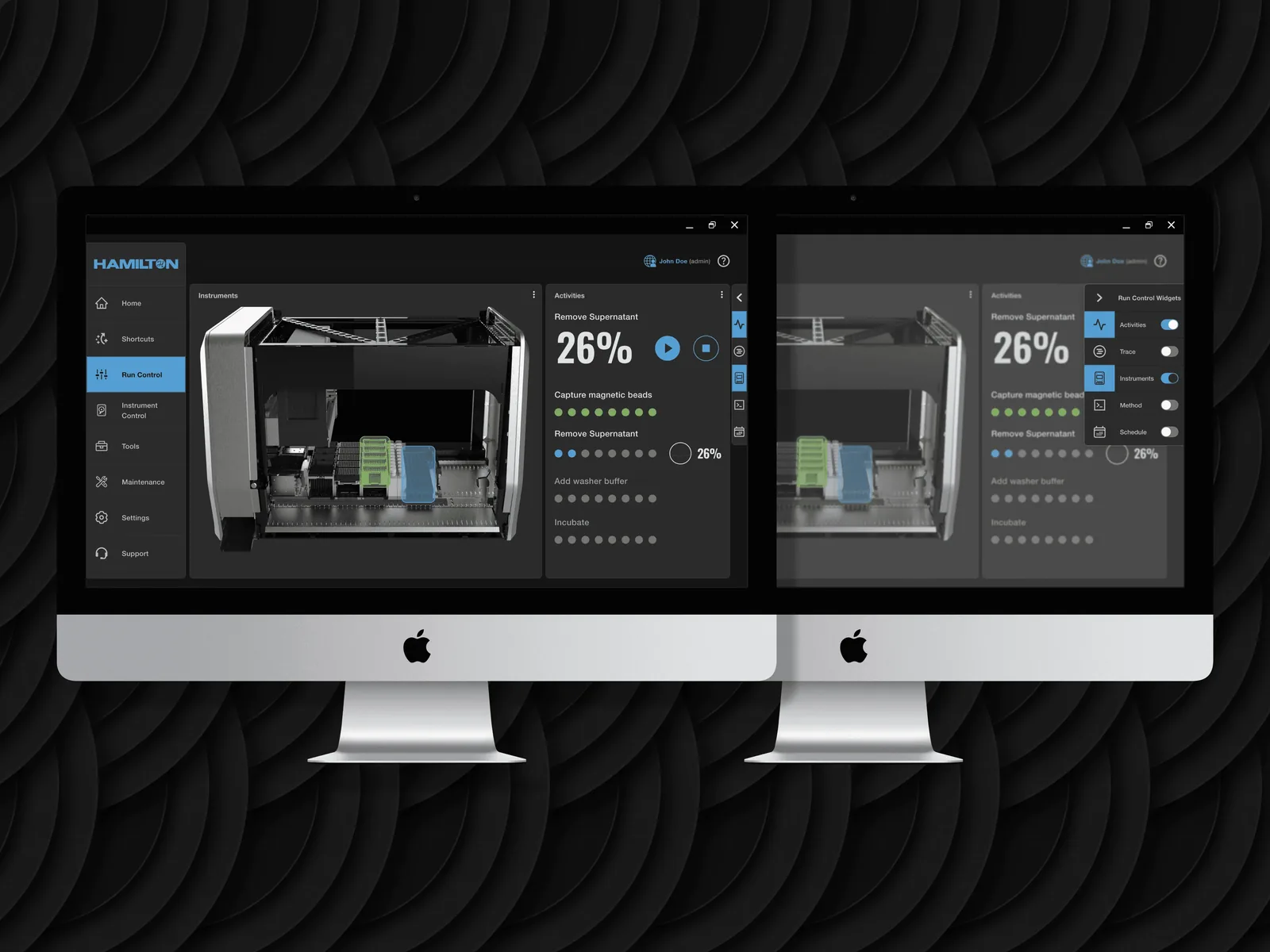
WPF is a fundamentally different rendering environment than the web. Gradients, shadows, and a number of CSS-equivalent visual effects that are trivial in a browser require significant engineering overhead in WPF.
I learned this the hard way on the first sprint. A card component I had designed with a subtle box shadow looked right and would have created meaningful, recurring engineering friction to implement on WPF. That friction would have been paid on every card, on every screen, for the life of the system. The recalibration was to design with the most-constrained rendering context in mind from the start, not the most-capable one. A system that is easy on web and expensive on WPF is not one system; it is a web system the WPF team is forced to approximate.
That is the lesson I carry forward: in a cross-platform system, the constrained environment sets the rules. Design to it first and the capable environments get the result for free. Design to the capable one first and the constrained environment pays for it indefinitely.
One design language, three rendering contexts.
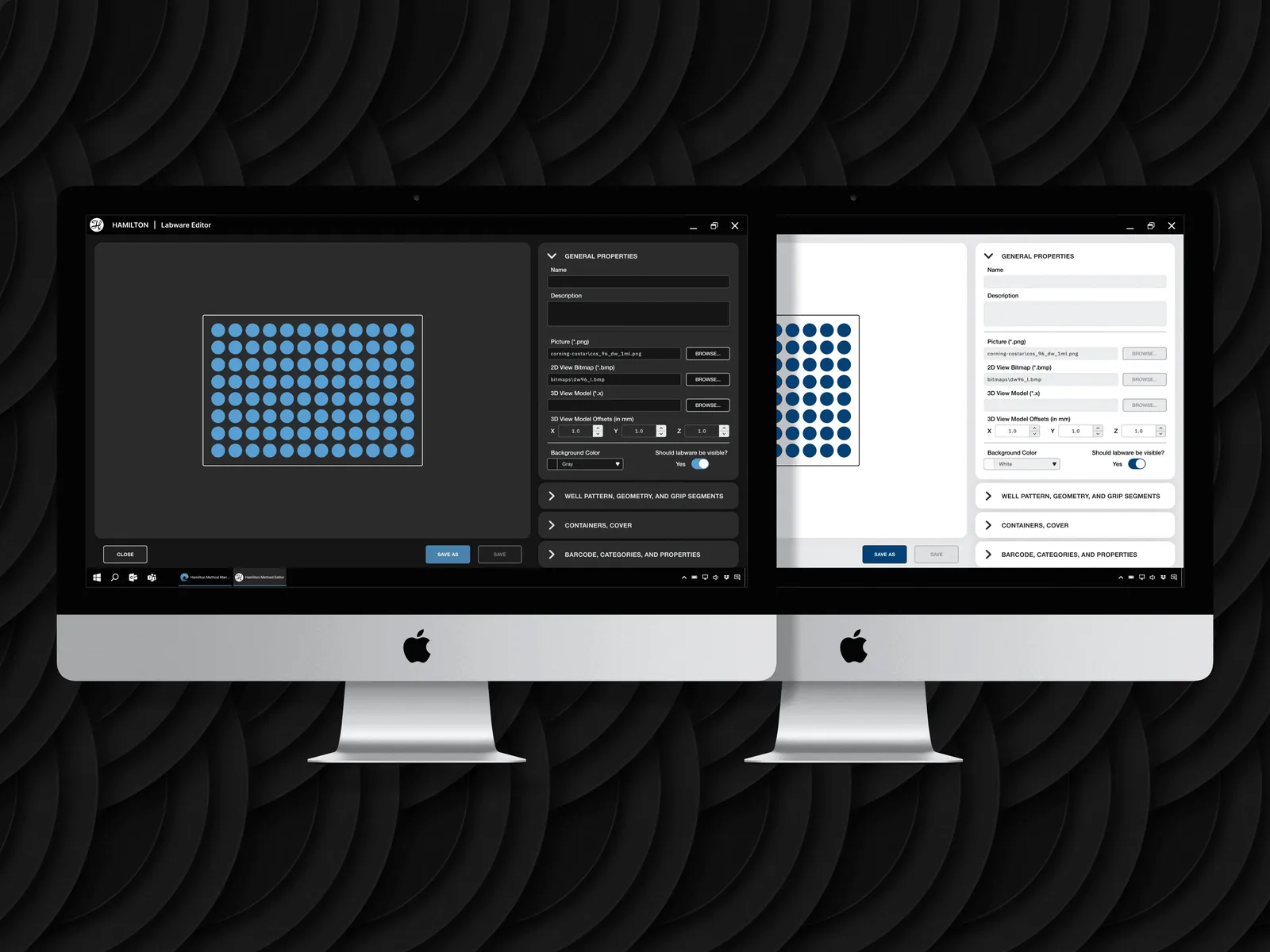
The 60-plus screen handoff was reviewed, approved, and moved into engineering across multiple sprint cycles. The design system shipped as a coherent whole: one visual language governing every interface in Hamilton’s ecosystem. The documentation was thorough enough that engineering could implement without design consultation on individual component decisions.
The number I am most confident in is not the screen count. It is the exception count: zero platform-specific exceptions in the token architecture. One semantic token layer, with platform mappings beneath it, governing web, WPF, and embedded alike. A design system earns its value in the cross-context decisions, the ones that hold when the implementation environment won’t, not in the polished specimens. The tokens do more work than any screenshot on this page can show.
Sixty-plus screens shipped to engineering on one token layer with zero platform-specific exceptions. I now design every system to the most-constrained runtime first, because the environment that can do least is the one that sets what the system can promise.